


Export NotebookLM chats to PDF, Word & Markdown
Save any NotebookLM conversation as a polished PDF, an editable Word document, clean Markdown, JSON, or one long screenshot — in a single click, completely free.
- Free & unlimited
- No account needed
- Local-first & offline
Just want a polished PDF with 8 themes? NotebookLM to PDF →
Why export NotebookLM with SaveAI
Everything you need to turn a NotebookLM thread into a document worth keeping.
Faithful to the original
Code blocks, LaTeX math, tables and images export exactly as they appear in NotebookLM — in every format.
Six export formats
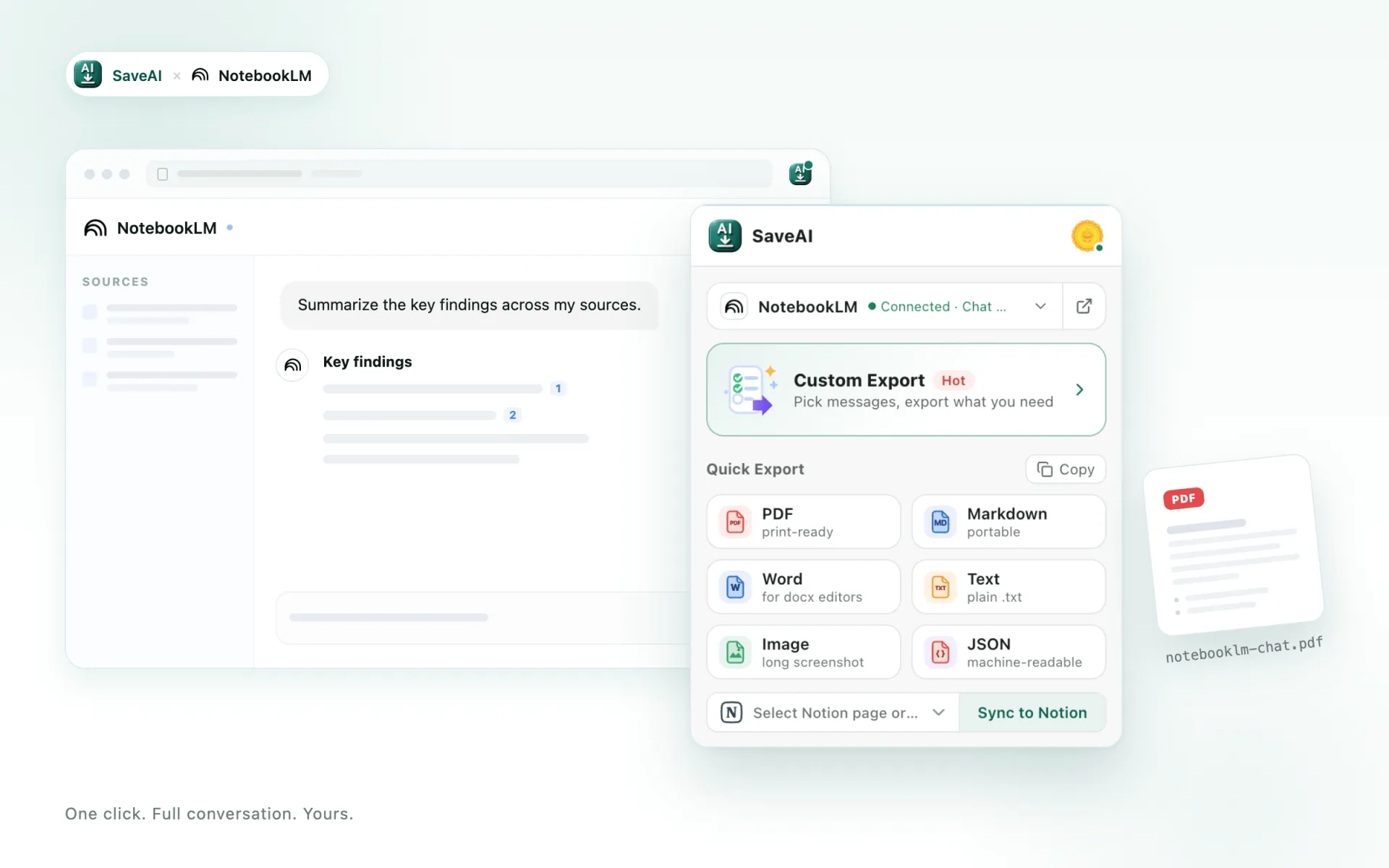
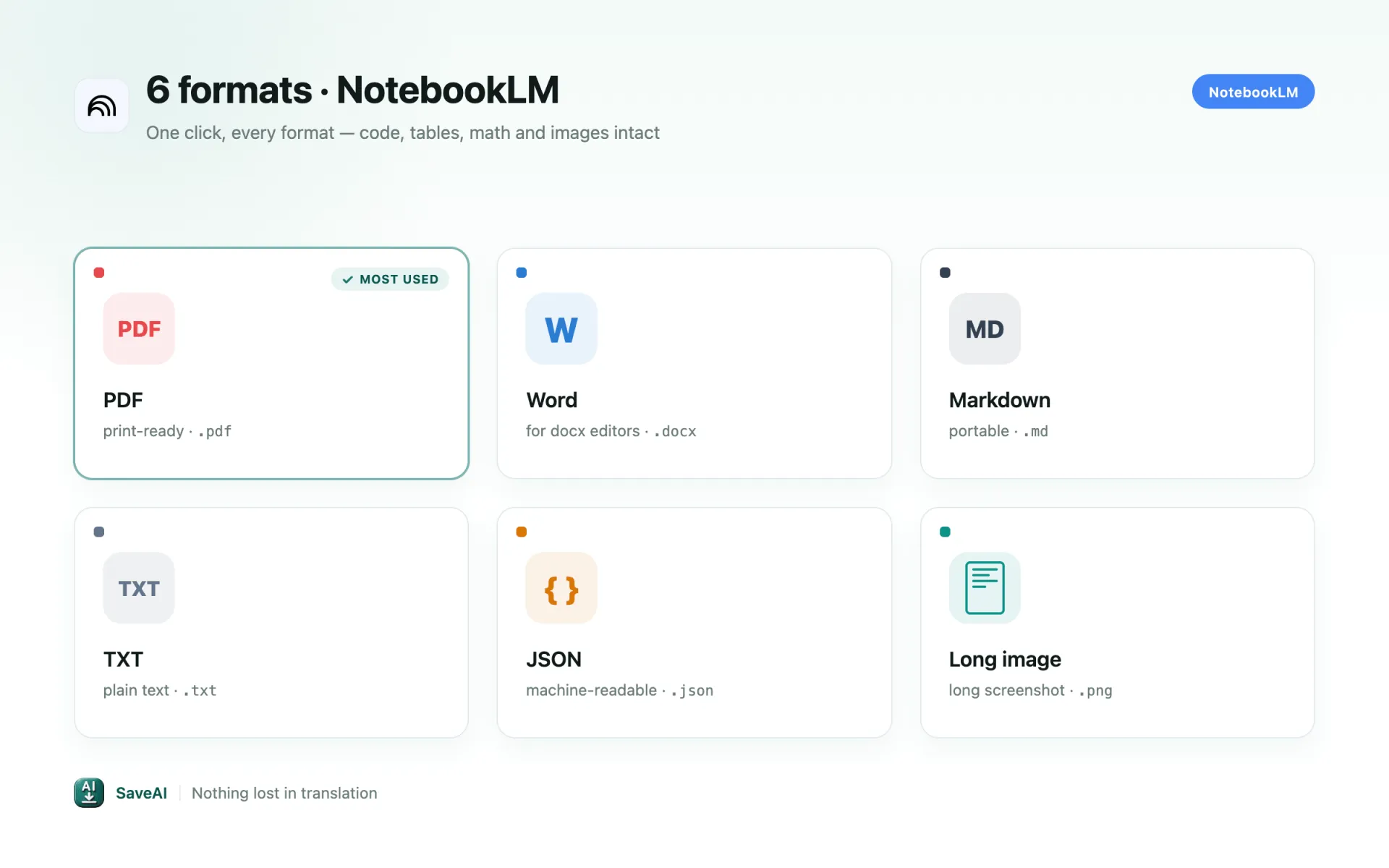
PDF for sharing, Word for editing, Markdown for your tools, JSON for scripts, or one long image — pick what fits.
Nothing gets cut off
Even thousand-turn NotebookLM chats export in full — no truncation, no missing messages.
Export only what matters
Pick individual messages, or just the questions or just the answers, before you save.
Free, with no watermark
Unlimited exports in every format, no account required, and never a watermark on your files.
One click, no setup
Install, open your NotebookLM chat, and export — no API key, no configuration.
Built for NotebookLM, not just bolted on
A generic exporter grabs whatever is on screen. SaveAI reads NotebookLM's own conversation data, so these NotebookLM-specific cases come out right.
Ask one question first
NotebookLM does not expose which conversation is open until the page requests it. Ask something in the notebook once, then export — this is a real requirement, not a bug to work around.
The whole conversation, paged
Chat history arrives in pages. SaveAI follows them to the end, so a long research session exports complete rather than stopping at the first screenful.
Text and structure
NotebookLM answers are text, so exports carry the writing, headings, lists and tables — there are no chat images to inline. Your sources stay in the notebook.
How to export a NotebookLM chat
Install SaveAI
Add the free extension from the Chrome Web Store and pin it to your toolbar. No account or API key needed.
Open your NotebookLM conversation
Go to NotebookLM, open the chat you want to save, and refresh the tab once after installing.
Export in one click
Click the SaveAI icon or the in-page button, choose your format, and the file downloads right away.
One click, every format
Export to PDF, Word, Markdown, JSON, TXT or a long screenshot — with 8 PDF themes, page numbers, timestamps and margins you control.
What people export NotebookLM chats for
Study notes
Students turn NotebookLM explanations into clean documents for revision and offline reading.
Research records
Researchers archive NotebookLM threads with timestamps and sources for citation and reference.
Writing & content
Writers keep NotebookLM drafts and ideas as tidy files to reuse and share.
Developer reference
Developers save NotebookLM code answers as searchable, well-formatted documents.
Pick the format that fits
PDF for sharing and archiving, Word for editing, Markdown for Obsidian and Notion, JSON for scripts and datasets, or a long screenshot for social. Every NotebookLM export keeps code, tables, math and images intact.
NotebookLM export — common questions
Is the NotebookLM exporter free?
Does it keep the formatting from NotebookLM?
Can I export only part of a NotebookLM chat?
Do my NotebookLM chats get uploaded?
Which sites does SaveAI support?
Start saving your NotebookLM chats
Free, unlimited, one click — turn any NotebookLM conversation into a clean document you can keep.