



After Saving AI Chats: How to Take Your Digital Memory With You Safely
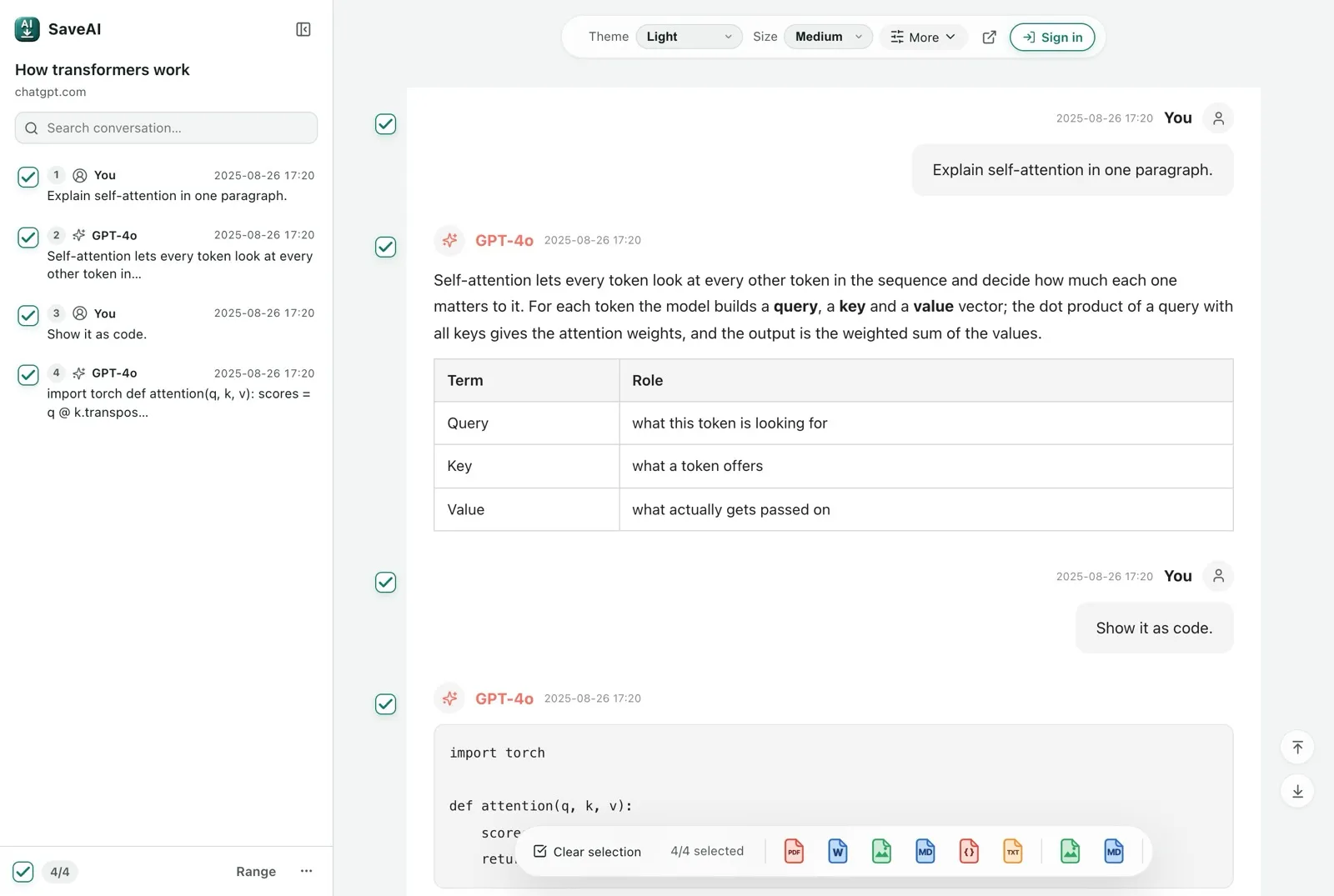
A carefully refined plan or a debugging conversation deserves a copy outside your AI chat list. Once you have exported it, another question follows: which parts should you give to a different AI?
Saving keeps the material available; selecting makes it useful for the next task. Leave time between downloading and uploading to inspect what you have and decide what each recipient actually needs.
This guide draws on CDT’s October 28, 2026 article and adds independent editorial advice. It is not a full translation. Screenshots show real software interfaces with demonstration data.
1. Why review an archive after downloading everything?
CDT introduced Selective Memory, an open-source prototype for selecting and editing exported AI conversations. Its research highlights a question beyond the ability to download data: users should be able to choose which records travel to another service.
For a renovation budget, a new assistant may need your space constraints and spending limit. It may not need your address, family discussions or payment details. Let the current task determine what belongs in the migration copy.
Use three questions to decide what is worth carrying forward: will this affect a future decision, does the reasoning explain a constraint, and is the source needed to verify the conclusion? Preserve rejected options and why they were rejected when they prevent repeated work. A final answer alone may lose that context.
Try it: Example: keep both the approved budget and the reason a cheaper proposal was rejected; omit unrelated personal discussions.
2. Saving, backup and migration have different goals
Saving gives an important exchange an independent file. Backup means you can retrieve and open a copy when needed. Migration gives another tool the material required to continue working. Each goal needs its own check.
- After saving, inspect the beginning, middle and end for missing passages.
- After backing up, reopen the file from its storage location without relying on the original browser page.
- After migration, check the new tool’s understanding of goals, constraints and open questions.
A successful upload does not prove a successful migration. Check whether branches, attachments, citations and platform settings survive rather than assuming they do. Start with a small sample for important projects.
Separate a full account export from an individual conversation export. The former provides a broad snapshot at a particular time; the latter is easier to inspect and reuse. Neither automatically includes every external attachment or recreates a running project. Verify the actual files instead of relying on a format’s name.
Try it: A practical test: close the source tab, reopen the backup, locate a known paragraph and check an attachment separately.
| Goal | Keep | Check |
|---|---|---|
| Save one exchange | Readable text plus necessary attachments | Important messages and code remain readable |
| Maintain a backup | Untouched export and a separate copy | Reopen without the original chat page |
| Continue elsewhere | Reviewed selection and a project brief | The new tool preserves decisions and uncertainty |
3. Keep the original; prepare a separate sharing copy
Use two folders: Original backups for untouched exports, and Selected copies for reviewed material intended for reuse or sharing. Include the date and topic in filenames, such as 2026-11-01_renovation-budget_migration-copy.
Inspect a conversation you know well: are questions complete, answers correctly paired, tables and code readable, and attachments saved separately when needed? An image URL is not the image itself. If offline access matters, disconnect and open the copy.
Keep Markdown or PDF for reading and retain the original structured export for further processing. Choose by purpose; there is no need to convert everything merely to migrate it.
Compare PDF, Word and Markdown
A workable routine is to save key exchanges after a milestone, review selected notes weekly and take a broader snapshot monthly or before changing accounts. Treat these as suggested intervals, adjusted to how much work you can afford to lose. Keep a second private copy separately and occasionally test it by opening a known conversation.
Try it: Suggested structure: Original / platform / export date; Selected / project / topic; Migration / project brief plus source references.
4. Share what the task needs
First write one sentence describing the new tool’s task. Select only relevant conversations. For ongoing work, preserve goals, confirmed decisions, constraints, references and unresolved next steps.
Review names, contact details, addresses, client information and credentials. Use consistent labels such as Client A or Project B where identity is unnecessary. After deleting a message, check later answers for repeated details, as well as tables, code comments and attachment filenames.
Read the edited copy again to ensure that removing details has not destroyed necessary context. If a passage cannot meet both the task’s needs and the sharing requirements, leave it out until it is needed.
Removing a name may not remove identity: an employer, rare job title, exact date and project description can identify someone together. Search the selected copy for removed terms and check nearby replies. For structured exports, use the tool’s export function rather than deleting arbitrary JSON fragments, then reopen the resulting file.
Try it: Example: changing a client’s name to Client A is insufficient if the next reply still contains the client’s phone number.
5. What can Selective Memory help with?
The project README lists ChatGPT/OpenAI and Claude/Anthropic as input sources. The locally run application presents exported chats, flags potentially sensitive text and lets users edit, select and download a new JSON file.
Detection uses rules. A green label only means that no rule matched; it is not a guarantee that the text is safe to share. Review the content yourself. This locally installed proof of concept should not be described as a tested universal migration service.
For a few conversations, a familiar editor may be sufficient. Trying a prototype is not a reason to send a complete chat archive to an unknown online converter.
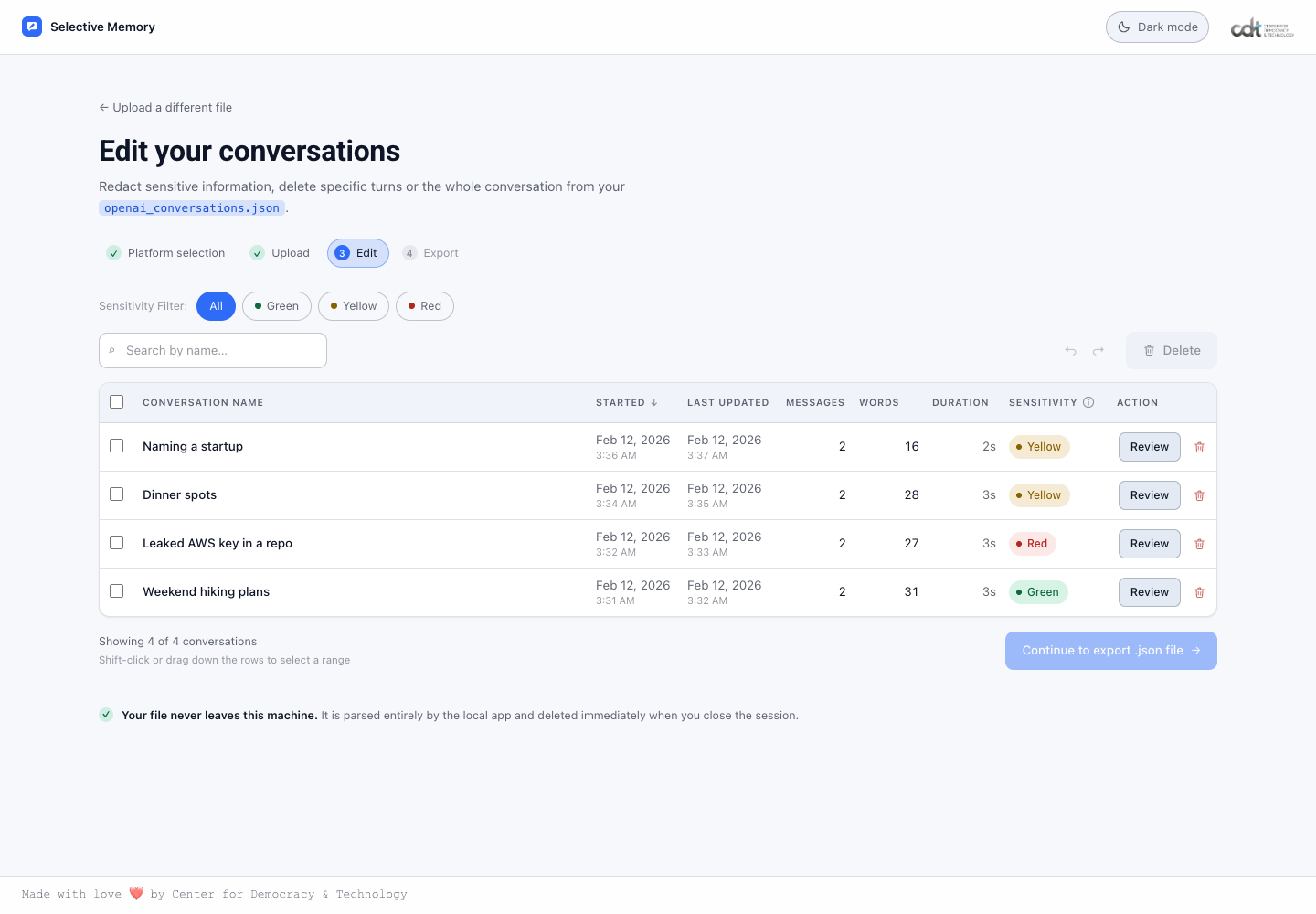
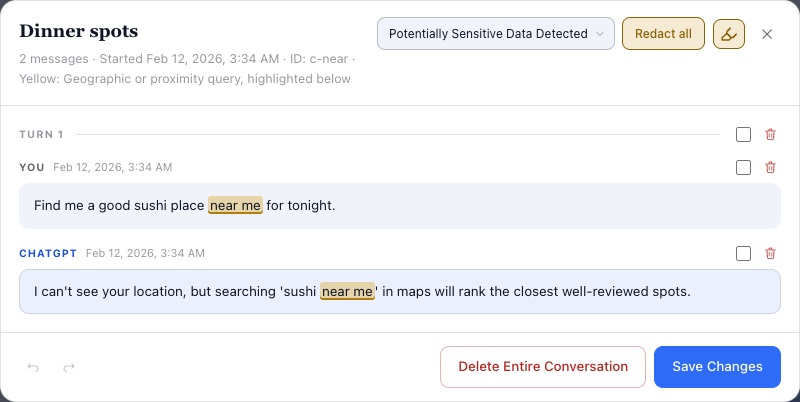
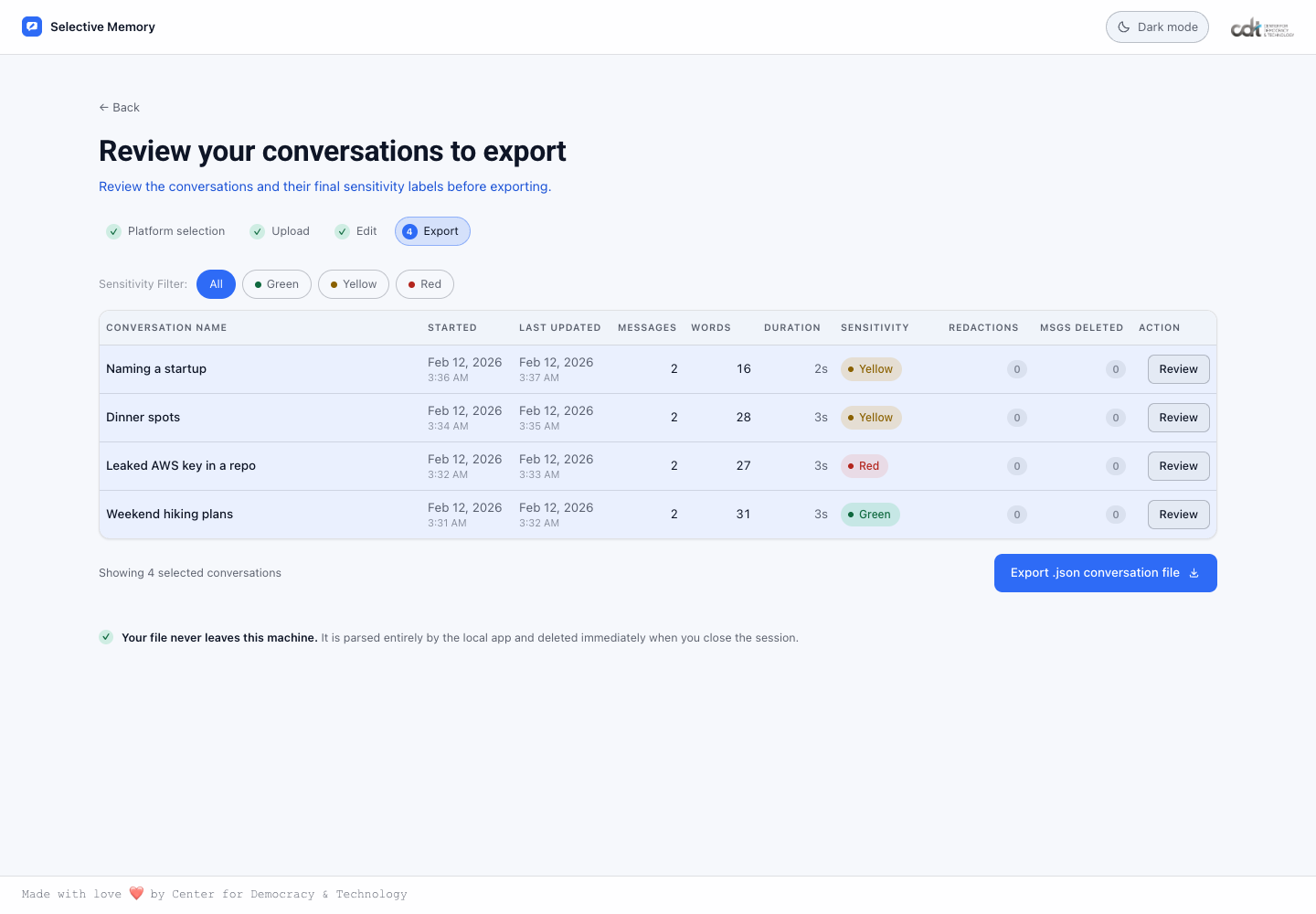
In the locally run prototype, the practical sequence is platform selection, uploading the public sample, reviewing the conversation table, opening a message editor and reviewing the export selection. The screenshots document that limited walkthrough. They do not demonstrate a complete personal archive, every conversation branch, attachment export or import into another AI.
Try it: Use the documented input formats and keep the original export unchanged. Start with sample data before handling your own files.
A small-sample walkthrough
- Choose the source platform and provide a working copy of the supported export.
- Review titles and sensitivity labels, then select conversations by task rather than label alone.
- Open Review, examine the messages and edit or redact where appropriate. Recheck both questions and answers.
- Review the final selection, export a new file and open it before using the destination platform’s supported import or reference workflow.
6. Verify migration with a small task
Choose a short conversation without private information, prepare a one-page project brief and supply it using the destination platform’s currently supported method. Ask the new tool to restate the goal, decisions, constraints and next steps; compare each with the original.
For a website redesign, a light homepage may be confirmed while a membership feature is only being discussed. Check that the second idea has not become an approved requirement. Correct the brief and verify again when necessary.
Record the source and export date, sharing scope, types of information removed and verification result. Do not copy the removed private details back into this record.
Use two rounds of verification. First check factual fidelity: numbers, dates, decisions and constraints. Then test usefulness: can the new assistant propose the next step while keeping unresolved ideas unresolved? A shorter, correct project brief is preferable to a long archive that the receiving tool misreads.
Try it: Accept the transfer only after goals, confirmed decisions, constraints and open questions match the source; otherwise revise the brief.
A prompt for checking migration
Use only the attached project brief and source excerpts.
1. Restate the goal and confirmed decisions.
2. List constraints and unresolved questions separately.
3. Identify missing information; do not invent it.
4. Suggest one next step and cite the supporting excerpt.
Do not treat a discussed idea as an approved requirement.
Before sharing or migrating: a checklist
- Keep an untouched original export.
- Reopen the selected copy and inspect key content and attachments.
- Include only material relevant to the current task.
- Check text, repeated answers, tables, code and filenames for private details.
- Confirm the recipient and current data-handling settings.
- Verify a small sample before migrating a larger project.
Start with one conversation worth keeping: save the original, prepare a selected copy and open it to check the result. For SaveAI export steps and data handling, use the guides below.
SaveAI user guide · Privacy notice
Sources: CDT, Jordan Gasior-Kavishe, Minsoo Thigpen and Kevin Bankston, October 28, 2026; Selective Memory README. Checked November 1, 2026. The screenshots were captured from the actual locally running prototype with its public sample data; they do not establish compatibility with every export or destination.
Ready to start exporting?
SaveAI works on 20 AI sites including ChatGPT, Claude, Gemini. Free to start, local-first.
Install for Chrome Free Install for Edge Free Install for Firefox Free